 AI-generated
AI image prompt
Charcoal Profile Portrait
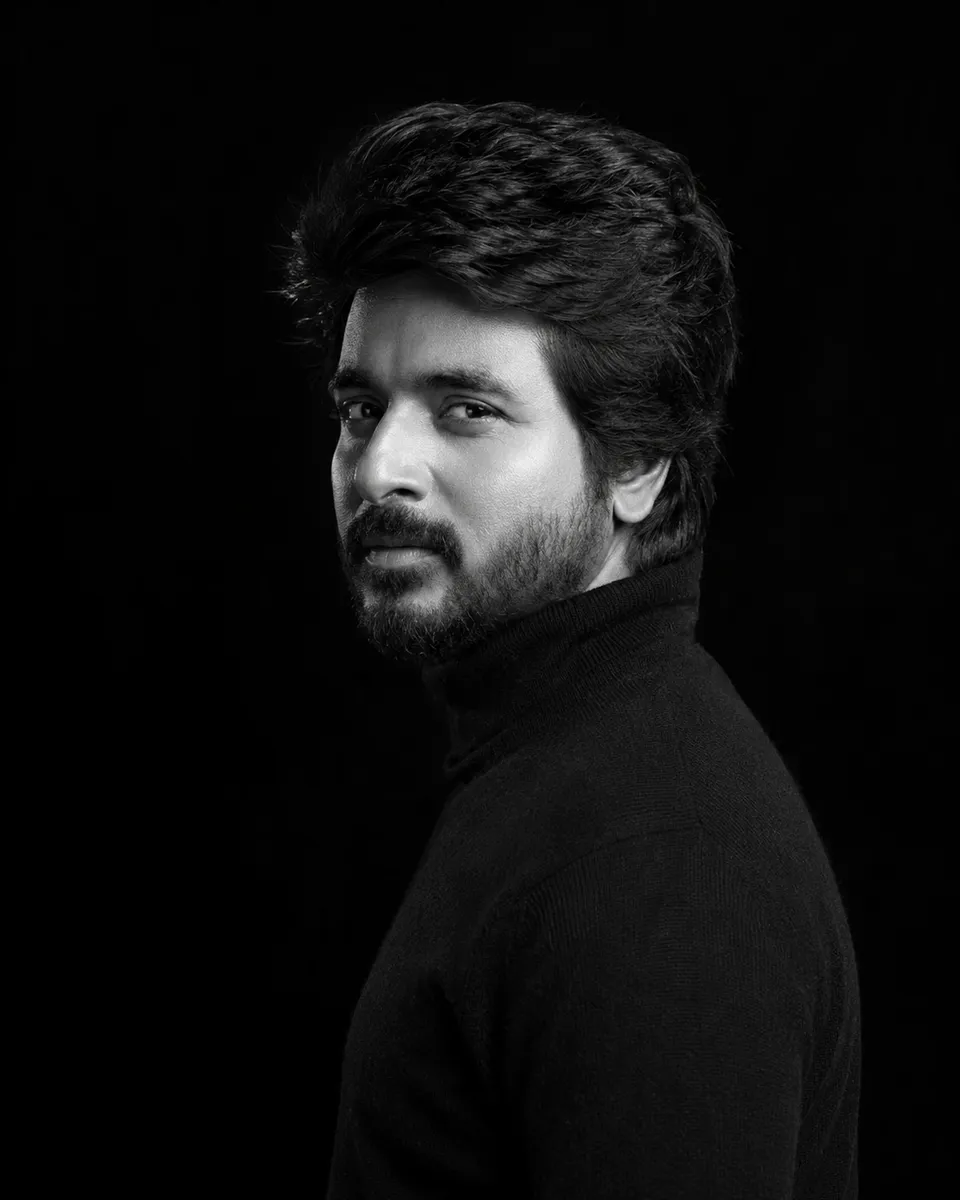
In a striking side profile, a man clad in a charcoal turtleneck gazes back at the lens, his expression contemplative yet intense. The high-contrast black-and-white setting emphasizes his sharp features against an inky black backdrop, creating a dramatic and photorealistic effect.
This is the same man from the reference image — keep his face, hair, and beard identical. A black-and-white medium-format portrait against an inky black seamless backdrop: he holds a strict side profile in a charcoal turtleneck, a single hard key carving his cheekbone out of pitch-black fill. His eyes cut back just enough to catch the lens, breaking the profile without turning his head.
This image was generated with AI.
About this look
Holding a rigid side profile, the subject's pose demands attention, with the charcoal turtleneck adding depth to the image. The use of a hard key light sculpting his cheekbone introduces texture and dimension, while the seamless black backdrop enhances the stark contrast. This minimalist composition allows for a focus on the subject's features, particularly his eyes, which catch the light just enough to break the silhouette, adding an element of intrigue to the overall portrait.
Suitable for a variety of personal or professional contexts, this style works well for showcasing individuality or character in social media profiles, artist portfolios, or exhibition prints. Ideal for moments of introspection or celebration of identity, it resonates particularly well with audiences who appreciate refined, monochromatic aesthetics. This portrayal can be shared on platforms seeking to highlight personal style or to accompany narratives of self-discovery or artistic expression.
How to use this prompt
To achieve the best results, supply a clear reference photo of the subject that highlights their facial features, including hair and beard. The prompt expects a side profile setup with the backdrop locked at a seamless black. Adjust the light source to ensure a hard key light casts distinct shadows on the cheekbone for maximum contrast. If the image appears too flat, increasing the intensity of the lighting or adjusting the angle can enhance the depth and detail.
Tips to customize it
- Experiment with different shades of black for the turtleneck to see what complements the subject's skin tone.
- Adjust the key light position to emphasize different facial features, such as cheekbones or jawline.
- Consider using a wider aspect ratio to capture more of the subject's silhouette and create a dramatic effect.
- Add a subtle texture to the background for a unique twist while maintaining the monochrome theme.
More like this

Prompt Deck
Free on Google Play
Take the whole deck with you
Browse thousands of AI image prompts, customise them with your own details, and create — all from the Prompt Deck app.
- Tap to customise & copy
- Save your favourites
- Fresh prompts daily