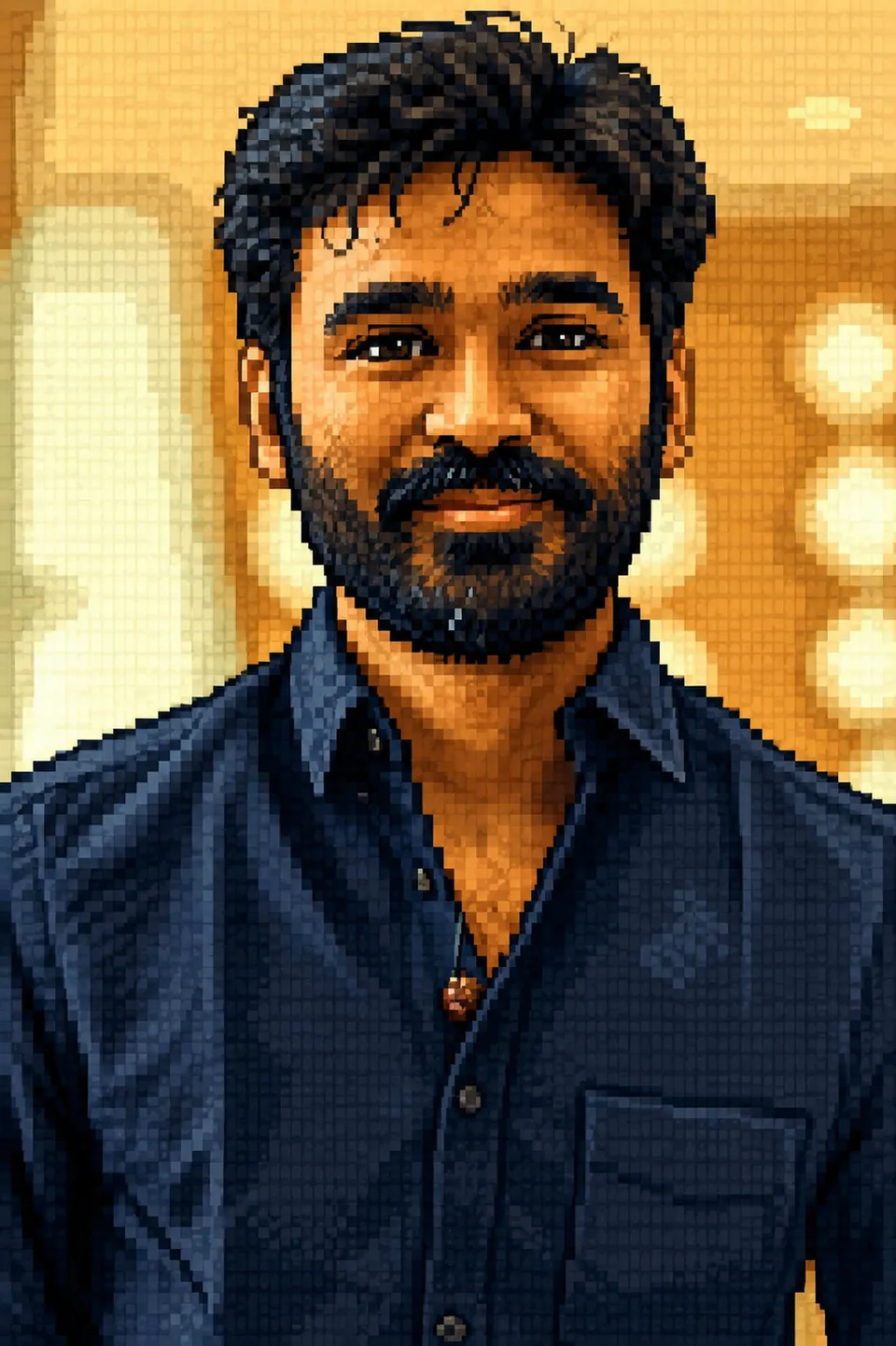
 AI-generated
AI image prompt
Pixel Art / Retro 16-Bit
A vibrant pixel-art scene showcases a couple against a retro backdrop, capturing their likenesses with a nostalgic 16-bit style. Each character is distinct, rendered in chunky pixels that highlight their unique features and outfits while maintaining a cohesive, playful aesthetic.
Transform the uploaded photograph into RETRO PIXEL ART — re-render the image as a 16-bit-style pixel illustration on a clear pixel grid.

SUBJECT: the person/people in the uploaded photograph.

LIKENESS THROUGH STYLE (mandatory, pixel-adapted):
- A STYLE TRANSFORMATION into pixel art, but still RECOGNISABLE — within the chunky pixels, capture the person's key cues: hairstyle and colour, skin tone, glasses/beard, outfit colours, and overall silhouette/pose. "That's [them] as a pixel sprite."
- Render EVERYTHING as pixel art UNIFORMLY (subject + background) — one coherent low-res image with a consistent pixel grid (no smooth photo areas).
- For couples/groups keep each sprite DISTINCT (different hair/outfit colours); never blend.

Pixel-art style spec:
- A deliberate LOW-RESOLUTION grid of crisp square PIXELS (visible blocky pixels, NOT a smooth image scaled down); clean 1-pixel outlines.
- A LIMITED retro PALETTE (16-32 colours); DITHERING (checkerboard pixel patterns) for gradients and shadows; simple flat highlights.
- The face built from a small number of well-placed pixels that still read as the person (key features as a few distinct pixels — eyes, brows, hair shape, glasses).
- Background: a simple pixel scene or a flat retro-coloured backdrop; optional game-UI hints (a health bar, a score) as a knob.
- Crisp, clean, nostalgic 16-bit look.

Preserve from the original: number of people, pose/silhouette, composition, hair/outfit colours, key features, each person's cues.

Output: a single crisp pixel-art image (sharp pixels, no blur), no text (unless a UI knob), no border, no watermark. Aspect ratio matching the upload (or 1:1).This image was generated with AI.
About this look
Surrounded by a whimsical pixelated landscape, the couple stands out as charming pixel sprites, each infused with vibrant colors and defined by crisp, blocky outlines. The low-resolution grid brings a nostalgic touch, allowing their hairstyles, outfits, and expressions to shine through the simplicity of the pixel art. Dithering techniques add depth and texture without losing the retro appeal, creating a playful and engaging atmosphere.
How to use this prompt
Upload a clear photograph of the couple that clearly displays their facial features and outfits. Ensure the image is well-lit and captures distinct characteristics like hair color and style, clothing, and any accessories. The prompt will generate a pixel-art version with a consistent grid, so avoid images with complex backgrounds. If the results aren’t as recognizable, adjusting the clarity of the uploaded image may help improve the likeness.
Tips to customize it
- Use a maximum of 16 colours for a classic 16-bit feel.
- Set the backdrop to a simple gradient or flat color for clarity.
- Position subjects in distinct poses to enhance individuality in pixel form.
- Consider uploading images where each person wears contrasting colors to emphasize their uniqueness.
More like this
Prompt Deck
Free on Google Play
Take the whole deck with you
Browse thousands of AI image prompts, customise them with your own details, and create — all from the Prompt Deck app.
- Tap to customise & copy
- Save your favourites
- Fresh prompts daily