 AI-generated
AI image prompt
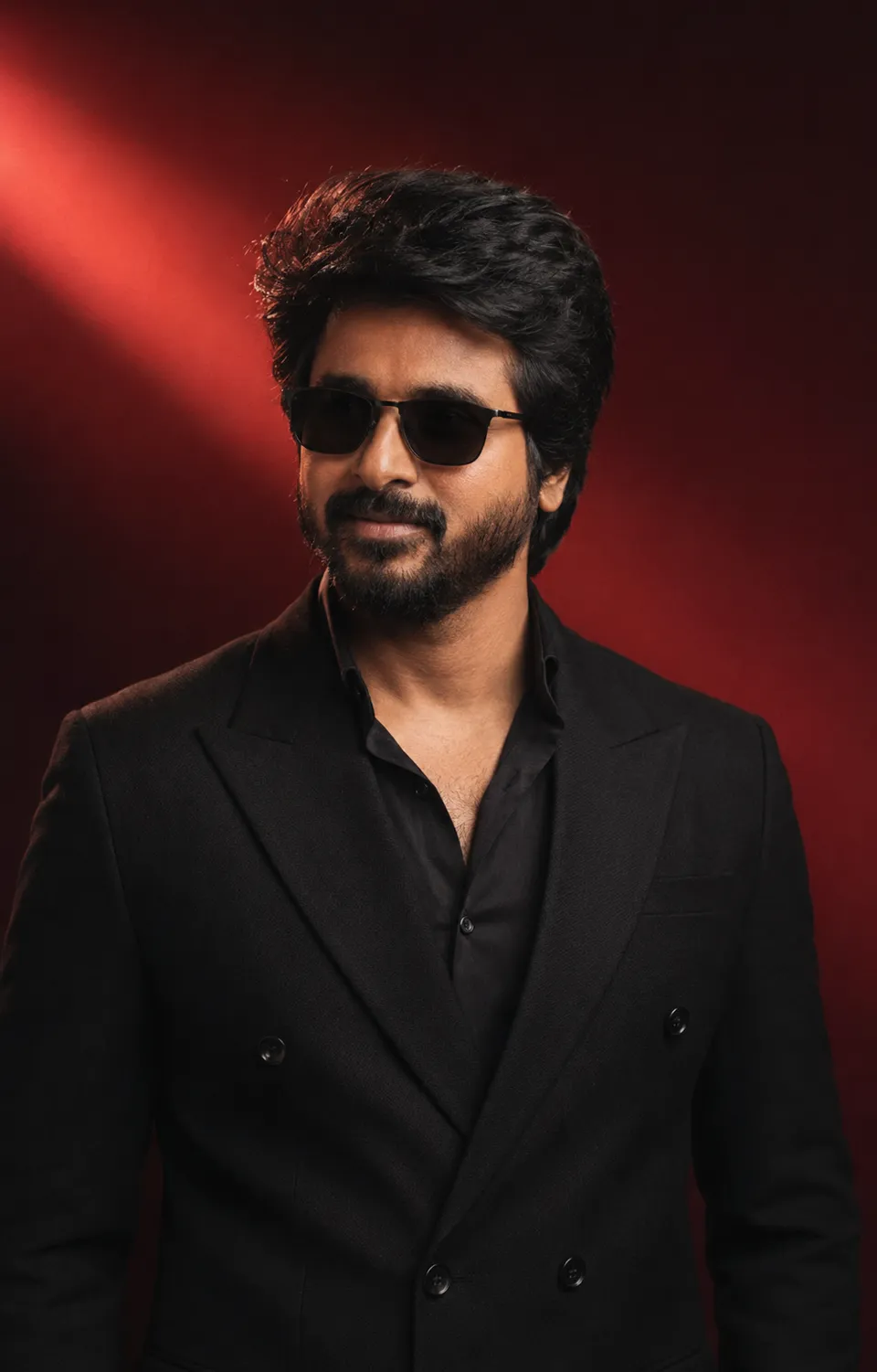
Oxblood Elegance Portrait
A rich oxblood backdrop envelops the subject in a warm glow, enhancing the sophisticated tones of his black suit and midnight shirt. Captured in a cinematic style, the portrait radiates a calm confidence through soft lighting and ultra-realistic detail, creating an intimate yet powerful atmosphere.
Gradient-studio aura still, vertical 4:5. The subject is the man in the attached reference photo: preserve his exact facial features — the precise shape and set of his eyes, the natural line of his brows, the structure of his nose, and his jawline with its groomed beard pattern — plus his hairline and skin tone, copied faithfully from the reference; his expression is left completely free of the reference and set only by this scene. Chest-up, slight low camera angle. Backdrop: a deep, saturated oxblood-red studio gradient, darkest at the edges, with ONE soft diagonal light streak sweeping behind his shoulder. He wears a black double-breasted suit in matte wool over an open-collar midnight shirt, with slim black sunglasses; beard freshly groomed, hair set naturally. His hands rest relaxed at his sides, out of frame. His expression: composed, faintly amused calm — the mouth carries it, quiet confidence with zero performance. Discard the reference photo's lighting entirely: his face is re-lit from scratch by one soft crimson-warmed key from the upper front-left — the same source that paints the streak — its direction, temperature and shadow making the face belong completely to this backdrop. Ultra-realistic 8K-level detail: visible pores, groomed stubble texture, stray hair flyaways rim-lit against the gradient, matte wool suiting weave clearly readable; ONE consistent light source; head and body in true natural proportion, exactly as a real camera would capture him. A photograph, never a digital render — subtle film grain, natural imperfections. Color story: oxblood and onyx.
This image was generated with AI.
About this look
The deep oxblood gradient backdrop establishes a dramatic color palette that perfectly complements the subject's attire. One soft diagonal light streak adds depth and dimension, sweeping behind his shoulder and enhancing the warmth of his skin tone. The lighting is carefully controlled, with a soft crimson-warmed key illuminating his face from the upper front-left, creating subtle shadows that bring out the natural texture of his groomed beard and hair. This meticulous attention to lighting and color not only highlights his facial features but also reinforces the overall mood of quiet confidence and elegance.
Ideal for personal branding, professional profiles, or milestone moments, this portrait captures a sense of sophistication that resonates well on platforms such as LinkedIn, personal websites, or social media. The image suits individuals seeking to convey an air of refined professionalism or a stylish presence for celebration events. It’s particularly effective for occasions like weddings or formal gatherings, where subtlety and elegance are paramount, allowing the subject’s personality to shine through in a memorable visual representation.
How to use this prompt
Select a high-quality photo of the subject that clearly showcases his facial features, ensuring the reference image is well-lit and in focus. The prompt expects a vertical 4:5 aspect ratio, so frame the image accordingly. For optimal results, ensure the subject's expression is relaxed and composed; if the face appears too harsh or bright, adjust the lighting settings to soften the effect. The prompt is designed to capture ultra-realistic details, so select a reference that highlights the natural textures of skin and fabric.
Tips to customize it
- Adjust the backdrop gradient to include a hint of burgundy for added depth.
- Change the suit texture to a subtle pinstripe for a touch of classic elegance.
- Experiment with the light streak's angle for varying dramatic effects.
- Consider altering the shirt color to a deep navy for contrast against the oxblood.
More like this

Prompt Deck
Free on Google Play
Take the whole deck with you
Browse thousands of AI image prompts, customise them with your own details, and create — all from the Prompt Deck app.
- Tap to customise & copy
- Save your favourites
- Fresh prompts daily