 AI-generated
AI image prompt
Confident Portrait in Architectural Light
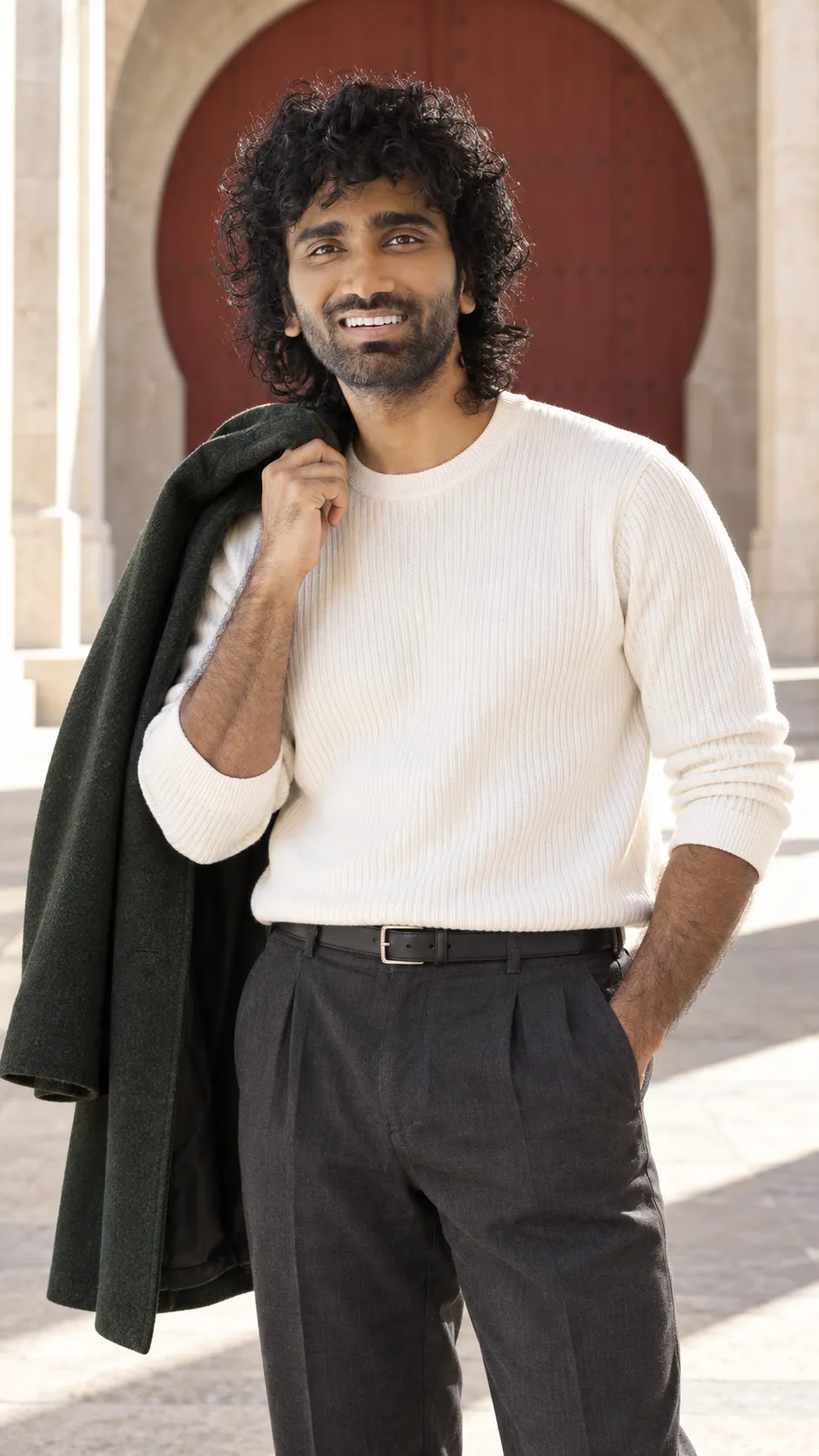
A striking photorealistic portrait captures a man exuding calm confidence in an architectural setting. The use of natural light and minimalist styling enhances the facial features while maintaining a strong presence against a contrasting background.
Facial identity is the highest priority. Photograph the exact man in the attached photo, an adult, not a lookalike or a redesigned model. Preserve the reference hairline, haircut, hair colour and texture, brows, eye shape and spacing, nose, lips, cheeks, jaw, chin, apparent age, skin tone and distinguishing marks. Keep existing facial hair or its absence. Do not slim the face, enlarge the eyes, reshape the nose, lighten the skin or apply beauty-filter smoothing. Use the reference for identity, not its original pose, outfit or background.

Create one photorealistic vertical 9:16 portrait with the calm confidence of someone leaving a room everyone else wants to enter. Frame from mid-thigh upward with an 85mm portrait perspective. Put the camera just below eye level, never at ground level. The face sits near the upper third, large enough to read immediately, with breathing room above the hair and below the hands. Keep the lifted elbow inside the frame.

Dress the subject in a bone-white finely ribbed crewneck, charcoal pleated trousers, a slim black leather belt and a midnight-green wool overcoat with a clean, heavy drape. Stand with most weight on the right leg and the left knee released slightly forward. The right hand holds the coat by its collar over the right shoulder, fingers together around the cloth and elbow angled outward below chin height. Hook the left thumb into the left trouser pocket with the other fingers inside. Keep the chest almost square to the lens and the shoulders loose. Look straight into the lens with a level chin and the smallest one-sided smile, as though the camera caught a private joke. Do not narrow or reshape the eyes.

A monumental pale limestone passage opens onto a single enormous rust-red circular doorway behind the subject. Hard afternoon sun creates one clean diagonal across the distant stone floor; the subject stands in bright open shade just before that sunlit patch. The architecture has scale without dwarfing the person. Broad daylight reflected from the pale wall lights the face from front-left, with soft fill for the other cheek and both eyes. A narrow warm rim touches the coat, not the facial features. Preserve natural skin colour against the red and limestone background.

The coat hangs behind the shoulder, never beside the eyes. Keep its empty sleeves visibly separate from the two real arms. Keep real skin texture, individual hair strands and believable fabric weight. Preserve the reference body proportions with natural anatomy, two arms and anatomically correct hands; hidden or cropped limbs must continue plausibly. No extra people, duplicate faces, text, logos, watermarks, clocks, borders or interface. Finish as a clean photograph, not an illustration. Whenever styling or lighting competes with facial likeness, simplify the styling or lighting and protect the original face.
This image was generated with AI.
About this look
The portrait is framed from mid-thigh upward with a level chin and a subtle smile, showcasing a distinct facial identity. The lighting, with a well-defined diagonal cast across the stone floor, adds depth to the scene, illuminating the subject's features from the front-left while the monumental architecture provides a grand yet inviting backdrop.
How to use this prompt
Supply a clear, high-quality reference photo of the subject to ensure facial likeness is maintained throughout. The prompt requires a vertical composition in a 9:16 aspect ratio, with careful attention to how the clothing and pose are styled. Adjust the lighting in the result if it overshadows the face or competes with its likeness, focusing on natural colors.
Tips to customize it
- Use a warm background to enhance skin tones.
- Opt for soft fill light to balance the subject's features.
- Select a flattering angle, slightly below eye level.
- Ensure the outfit contrasts well with the background.
More like this

Prompt Deck
Free on Google Play
Take the whole deck with you
Browse thousands of AI image prompts, customise them with your own details, and create — all from the Prompt Deck app.
- Tap to customise & copy
- Save your favourites
- Fresh prompts daily