 AI-generated
AI image prompt
Gritty Urban Portrait in Haze
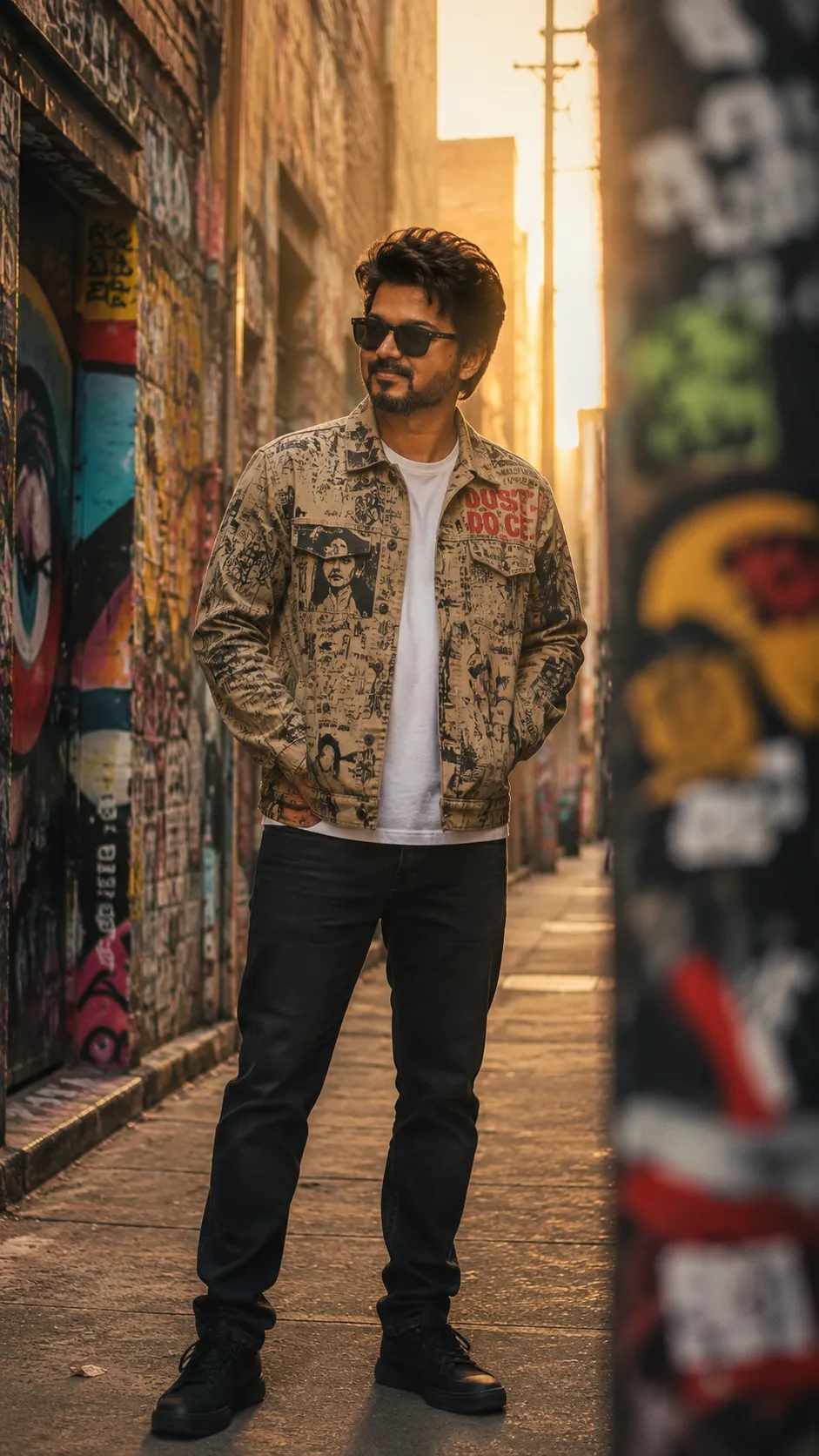
Embodying an urban vibe, this gritty portrait captures a man standing confidently in a graffiti-laden alley, surrounded by a warm golden haze. The scene radiates an unbothered coolness, showcasing detailed textures and realistic features that reflect the raw beauty of street culture.
Use the man in the attached reference photo as the exact subject, carrying over his precise facial features — face shape, eye shape, eyebrows, nose, lips, jawline, beard pattern, hairline and true skin tone — with his expression left completely free for this scene. A gritty full-body editorial stance: he stands square in a narrow graffiti alley layered with years of spray-paint murals and torn paste-ups, wearing a graphic-print work jacket with a dry cotton-canvas weave over a plain white tee and dark straight jeans, both hands sunk in the jacket pockets, weight settled on one leg. Golden backlit haze floods in from the far end of the alley, rim-lighting his shoulders and hair; a blurred wall edge crosses the extreme foreground on one side to bracket the frame. He wears matte black sunglasses; his one expression beneath them is unbothered stillness. Discard the reference photo's lighting entirely; his face is re-lit only by this scene's own light — the warm golden haze from behind with soft bounce off the painted walls — so every tone on his skin belongs to this alley. One consistent light source, that low golden backlight, governs the frame. Ultra-realistic photograph with 8K-level detail: visible pores, natural stubble, stray hair flyaways, canvas weave and flaking paint texture true to life; head and body in true natural proportion, exactly as a real camera would capture him. A photograph, never a render — subtle film grain and natural imperfections. Color story: faded spray-can brights sunk in golden haze. Vertical 9:16.
This image was generated with AI.
About this look
A sense of calm confidence permeates the atmosphere, highlighted by the warm golden backlighting that creates a striking halo effect around the subject. The choice of a narrow graffiti alley serves not only as a backdrop filled with layered textures but also as a canvas for the character's expressive stance. His graphic-print work jacket contrasts with the alley's vibrant hues, while the subtle play of light enhances the natural contours of his face, revealing each pore and stubble in rich detail. The composition, with the blurred wall framing the subject, draws the viewer's eye directly to the man, emphasizing his relaxed posture and unbothered demeanor beneath matte black sunglasses.
How to use this prompt
Begin with a clear photo of the intended subject, ensuring their facial features are well-lit and visible, as these are crucial for accurate replication. The prompt requires a focus on skin tone, facial structure, and expression, but allows freedom in the subject's mood. Select a location that embodies an urban feel, preferably with graffiti or textured walls to match the alley setting. If the final image lacks depth, consider adjusting the light source to enhance the golden haze effect and emphasize the subject's features.
Tips to customize it
- Change the graphic-print of the jacket to reflect personal style.
- Experiment with the angle of the sunlight to create different haze effects.
- Alter the backdrop murals for a unique texture or color story.
- Adjust the subject's pose to convey a different mood or attitude.
More like this

Prompt Deck
Free on Google Play
Take the whole deck with you
Browse thousands of AI image prompts, customise them with your own details, and create — all from the Prompt Deck app.
- Tap to customise & copy
- Save your favourites
- Fresh prompts daily