 AI-generated
AI image prompt
Classic Studio Portrait in Sepia
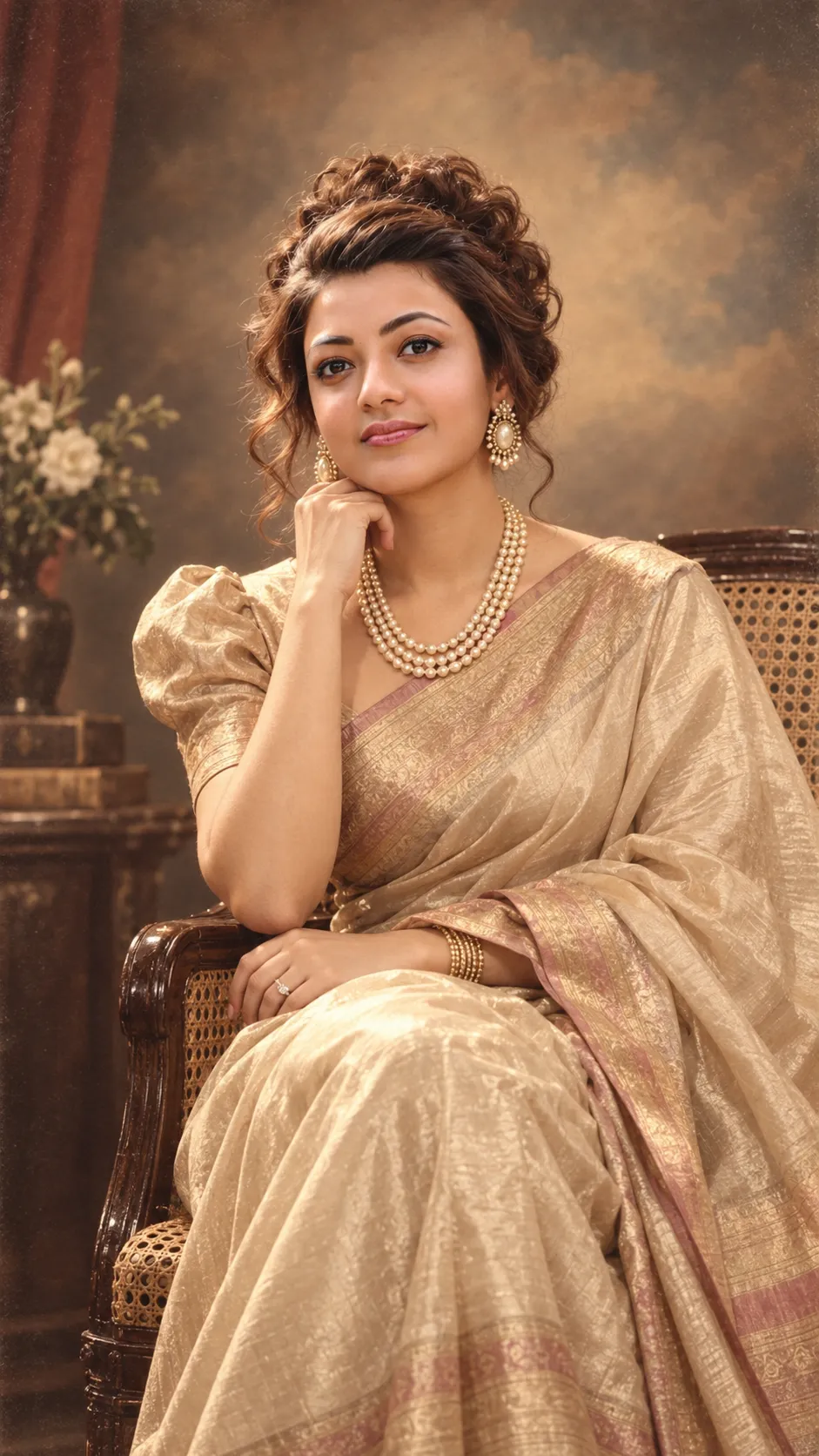
Preserved in warm sepia tones, this classic studio portrait showcases a woman's elegance and poise against a softly painted backdrop. Her direct eye contact and detailed styling create an inviting yet formal atmosphere.
Using the uploaded photo as the exact face reference, generate a classic studio-style portrait of this same person, preserving her precise facial features, expression, and likeness. Her eyes must be locked directly on the camera lens throughout, with clear, direct eye contact — this is essential. Set against a painted vintage studio backdrop (soft clouds or gradient tones), a cane chair as a prop, warm studio lighting. Outfit: an elegant 80s-style silk saree with a puff-sleeve blouse, or a shimmery shoulder-padded formal gown, statement jewelry, hair styled in a voluminous curled updo. Seated gracefully on the cane chair or standing beside it, posed formally, facing the camera directly, with a composed, elegant smile. Lighting: classic studio key-light setup, warm sepia-toned highlights, soft shadow falloff. Style: photorealistic vintage studio photograph, fine film grain, warm sepia-cream color grade. Vertical 9:16 composition, high detail.
This image was generated with AI.
About this look
The composition revolves around a warm sepia palette that accentuates the subtleties of light and shadow, creating a soft, inviting feel. The choice of a vintage studio backdrop and cane chair enhances the classic aesthetic, while the warm studio lighting highlights the subject's features and elegant attire. The attention to detail in her outfit and styling adds an air of sophistication, ensuring the portrait stands as a timeless piece.
How to use this prompt
Begin with a front-facing reference photo of the individual whose likeness you wish to preserve, ensuring clarity in facial features. Set the camera in vertical 9:16 format to achieve the desired composition. The prompt expects a vintage studio look, so provide references for the backdrop and lighting style for best results. If the likeness isn't quite right, adjust the facial alignment in the reference photo accordingly.
Tips to customize it
- Use a reference photo with clear facial features
- Opt for warm, soft background colors
- Ensure the outfit has vintage elements
- Set lighting to create soft shadows
More like this

Prompt Deck
Free on Google Play
Take the whole deck with you
Browse thousands of AI image prompts, customise them with your own details, and create — all from the Prompt Deck app.
- Tap to customise & copy
- Save your favourites
- Fresh prompts daily