 AI-generated
AI image prompt
City Skyline Fill
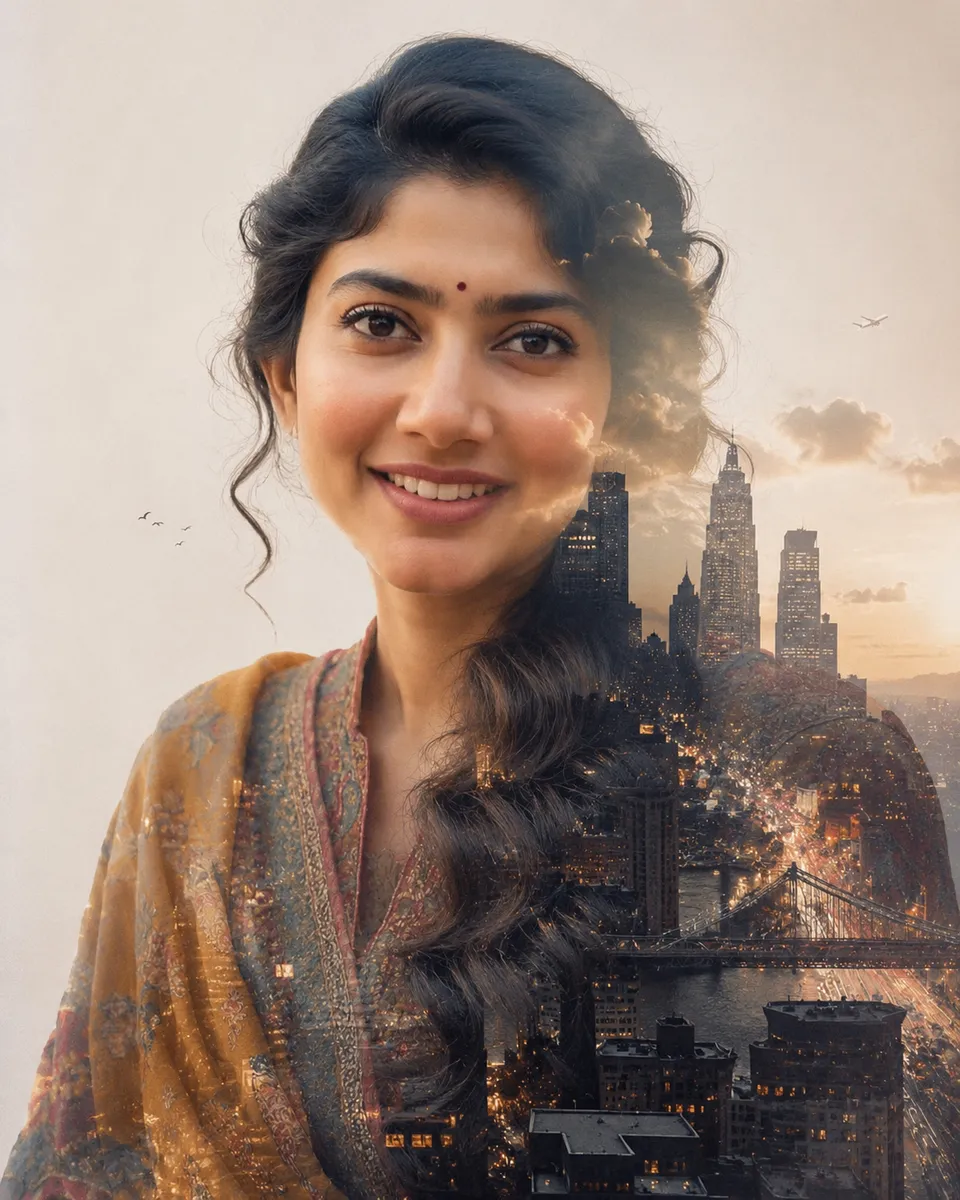
A striking fine-art portrait showcases a person’s silhouette filled with a detailed city skyline, emphasizing the contrast between recognizable facial features and the atmospheric urban landscape. The cool tones of the city blend seamlessly with the subject, creating a cohesive and visually engaging image.
A single 4:5 vertical fine-art DOUBLE-EXPOSURE: a portrait of the person from the uploaded photograph blended with a CITY SKYLINE filling their silhouette.

REALISM + LIKENESS (top priority): the portrait is the REAL uploaded person — lock facial structure, features, eye shape/colour, hairline, and the profile/silhouette so they're instantly recognisable; the FACE stays READABLE (the city blends into the shadow/silhouette areas, NOT over the eyes/features). The city is REAL photographic imagery — believable buildings, lit windows, a bridge, streets, atmospheric haze, real depth — seamlessly blended; one coherent image, one grade and grain.

REPLACE from the upload: any jewelry — minimal.

Composition: a clean portrait/profile against a soft pale background; the skyline brightest in the darker form areas, fading on the lit skin; small details (birds, a plane, drifting cloud) past the silhouette edge. Soft grain; cohesive palette (cool blue-grey city + soft neutral, or warm dusk city). Invented signage only.

Output: a fine-art double-exposure, no text, no border, no watermark. 4:5.
This image was generated with AI.
About this look
The clean composition focuses on the subject’s profile, set against a soft pale background that elevates the portrait's realism. By ensuring that the skyline fills the silhouette without overpowering the facial features, this artwork maintains clarity and recognizability. The cityscape, with its believable structures and subtle atmospheric haze, adds depth while the soft grain enhances the fine-art quality, making the overall image both immersive and elegant.
How to use this prompt
To create this artwork, upload a clear portrait photograph of a man, ensuring his face is well-lit and recognizable. The prompt will lock in the facial structure and features, blending them with a city skyline that fills the silhouette. It's crucial to select a photo with minimal jewelry for a cleaner look. If the skyline appears too chaotic or unclear, adjust the contrast or brightness of the city image to enhance the blend.
Tips to customize it
- Choose a pale background to enhance the subject's profile contrast.
- Use a skyline image during dusk to capture rich, warm hues.
- Opt for a soft grain filter to unify the portrait and skyline.
- Incorporate small atmospheric elements like birds or clouds for added depth.
More like this

Prompt Deck
Free on Google Play
Take the whole deck with you
Browse thousands of AI image prompts, customise them with your own details, and create — all from the Prompt Deck app.
- Tap to customise & copy
- Save your favourites
- Fresh prompts daily