 AI-generated
AI image prompt
Black-&-White Editorial Wallpaper
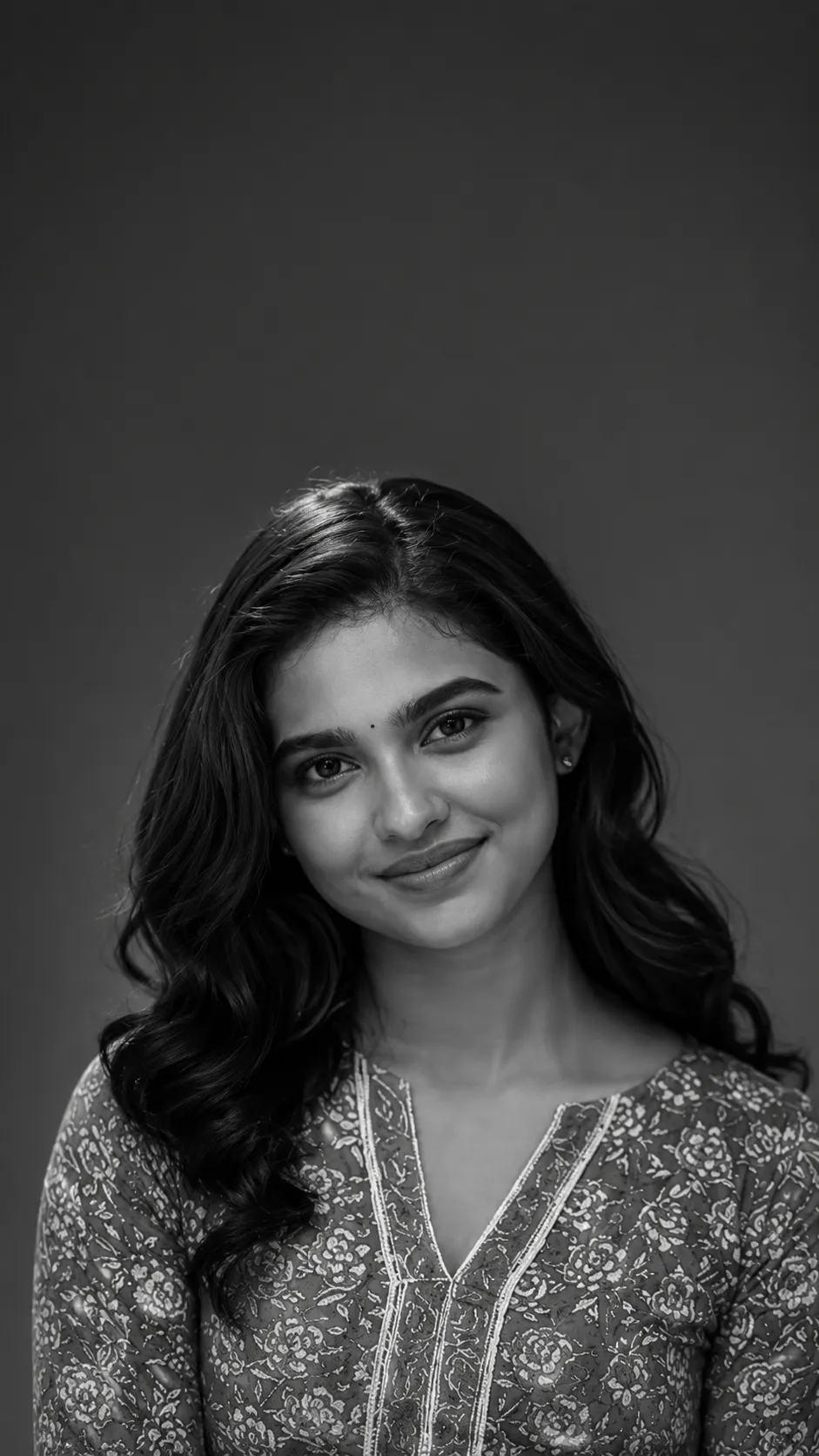
Elegant interplay of light and shadow defines this black-and-white editorial portrait. The refined tones capture the individual's authentic features while providing ample negative space, making it perfect for a modern phone lock screen.
A single 9:16 vertical PHONE LOCK-SCREEN wallpaper: a BLACK-AND-WHITE editorial portrait of the person from the uploaded photograph, with elegant lock-screen UI.

REALISM (top priority): the person is the real individual from the upload — lock facial structure, features, eye shape, hairline, marks; render the true complexion as faithful monochrome tones (a real B&W conversion of THIS person's skin, not a different face). Face/body ONE continuous photograph (no neck seam, even tonal skin face-to-neck, face not sharper than the body), re-lit by the studio light, head naturally proportioned. Compose UI over background/headroom, not across the face.

REPLACE from the upload: any jewelry — minimal.

Wallpaper portrait: a refined black-and-white head-and-shoulders portrait — soft directional 45-degree key with a readable shadow side (sculpted, flattering), a clean mid-grey or dark backdrop with headroom; rich tonal range, real skin texture, individual lashes; the classic editorial monochrome look.

CLEAN WALLPAPER — NO BAKED-IN UI: do NOT render any clock, date, status bar, icons, or home-bar — the phone draws its own LIVE clock/UI on top (baking them in causes duplicates). Leave CALM NEGATIVE SPACE in the top third for the phone's real clock; keep the face out of that zone. (Optional preview-mockup only: add faux clock/status in magazine-style type to preview the look — a mockup, not the file to set.)

Colour: monochrome (rich blacks, clean whites, full grey range); optional one subtle accent.

Output: a B&W editorial lock-screen wallpaper, 9:16. No watermark.
This image was generated with AI.
About this look
Soft directional lighting creates a sculpted effect on the face, accentuating natural contours with a flattering shadow side. The mid-grey backdrop allows for a rich tonal range, highlighting the person’s real skin texture and individual features, from lashes to hairline, creating a seamless transition from face to neck without harsh seams. This careful lighting choice enhances the overall sophistication of the portrait, making it ideal for a stylish lock screen.
How to use this prompt
Upload a clear photograph of the individual to ensure accurate facial features and complexion. The prompt expects a 9:16 aspect ratio, focusing on head-and-shoulders composition with clean negative space at the top. The facial structure should be rendered realistically in a monochrome palette, so if tonal details appear incorrect, adjusting the directional lighting or backdrop color can help achieve a better result.
Tips to customize it
- Adjust the angle of the soft directional light for varied shadow effects.
- Experiment with a subtle accent color in the background to enhance the monochrome palette.
- Ensure the uploaded photo captures the individual’s true complexion for accuracy in rendering.
- Select a mid-grey backdrop to maintain the editorial feel while allowing the face to stand out.
More like this

Prompt Deck
Free on Google Play
Take the whole deck with you
Browse thousands of AI image prompts, customise them with your own details, and create — all from the Prompt Deck app.
- Tap to customise & copy
- Save your favourites
- Fresh prompts daily